
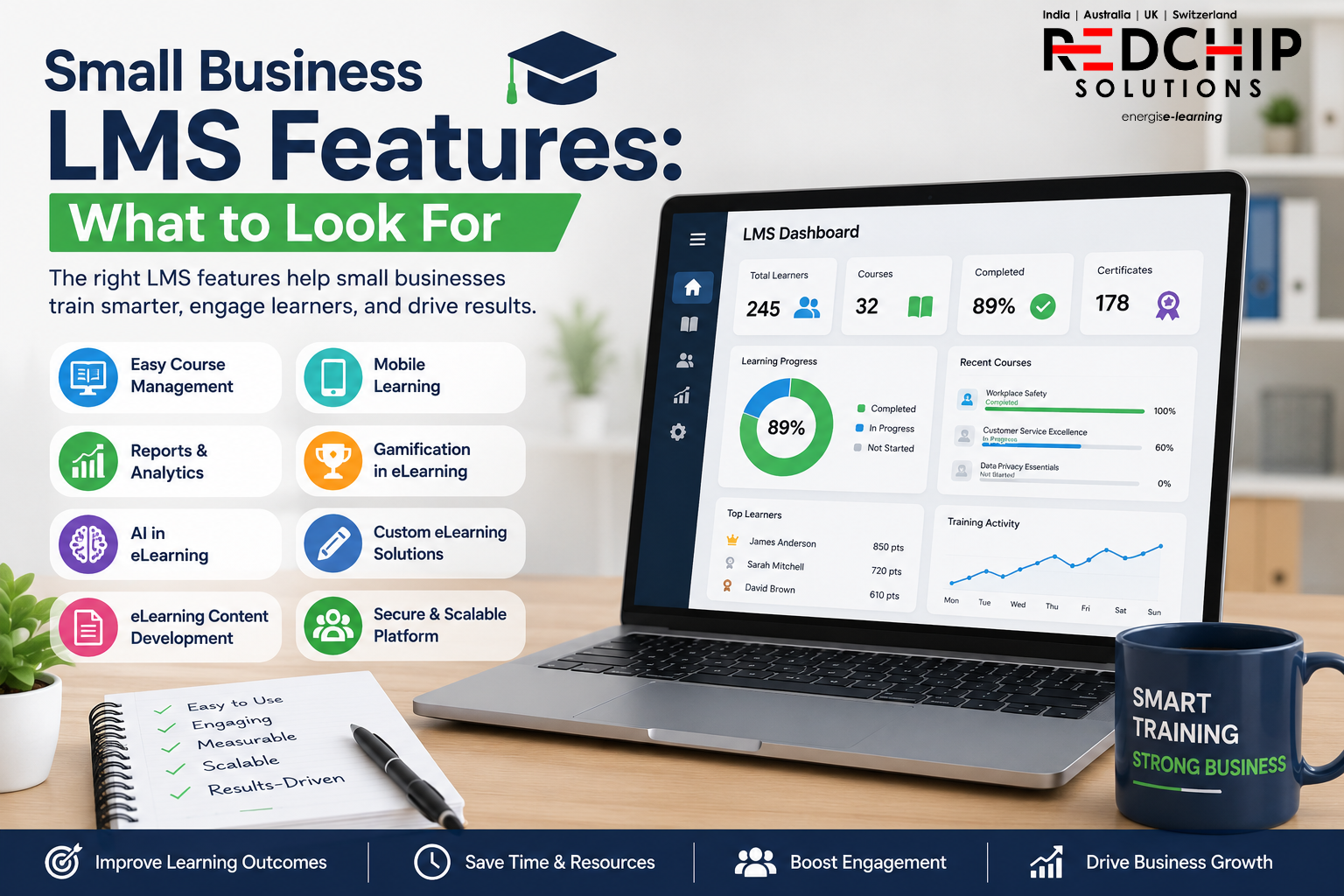
Small business LMS features can make employee training easier to manage, track, and improve. For small companies, the right LMS should save time, keep employees engaged, and support training without adding more work for HR and L&D teams. Today, businesses can also combine AI in eLearning,
Today, businesses can also use custom eLearning solutions, gamification in eLearning, AI in eLearning, and better eLearning content development to improve learning. However, technology should solve a real business need rather than simply follow a trend.
For small organizations, the best approach is to start with the basics and then add advanced features as the company grows.
Want to see how a tailored LMS and learning solution can support your team? Requesting for a Demo and discuss your requirements with the Red Chip Solutions team.
What You Will Learn in This Guide
This guide covers the most useful LMS features for small businesses, including:
- Easy course management
- Simple learner access
- Mobile learning
- Reports and analytics
- Assessments and certificates
- AI and personalization
- Gamification
- Custom learning content
- Scalability
- Security and accessibility
Why Small Business LMS Features Matter
The right LMS can make a major difference when a small team has limited time and resources.
Small businesses may not have a dedicated learning and development team. As a result, training managers often need to handle course creation, learner management, reporting, and employee support at the same time.
Therefore, the LMS should reduce this workload rather than add to it.
A practical LMS should make it easy to manage training, give employees quick access to courses, and provide clear reports. At the same time, it should allow the business to add more advanced tools when needed.
Best Small Business LMS Features to Consider
The best LMS features for small businesses should focus on ease of use, learner engagement, tracking, and future growth.
Easy Small Business LMS Features for Daily Training
One of the most useful features is simple course management.
A small business may not have a dedicated LMS administrator. Therefore, HR and training teams should be able to upload, update, assign, and organize courses without needing technical skills.
A good LMS should let managers:
- Add new employees
- Assign courses
- Set deadlines
- Upload training material
- Update old content
- Track completion
For example, an HR manager should be able to assign an onboarding course to a new employee in just a few steps.
This saves time and makes daily training much easier to manage.
Moreover, simple course management works well with professional eLearning content providers, as new learning material can be added to the same system.
Mobile-Friendly LMS Features for Busy Employees
Mobile learning is another useful feature for small business training.
Employees may work from offices, customer sites, stores, factories, or home. Therefore, an LMS that works well across smartphones, tablets, and computers gives learners more freedom.
Important mobile learning capabilities include:
- Responsive courses
- Mobile assessments
- Short learning modules
- Video learning
- Progress tracking
- Easy course access
For example, a sales employee could complete a five-minute product lesson while traveling between meetings.
However, mobile learning should not simply mean placing a desktop course on a smaller screen. The content should also be designed for quick and easy use.
Small Business LMS Features for Tracking and Reports
Training should be measurable.
Managers need to know who completed a course, who needs support, and where knowledge gaps may exist. Consequently, reports and analytics should be part of the LMS features for small businesses checklist.
Useful reports can show:
- Course completion
- Assessment scores
- Learner progress
- Training hours
- Certificates
- Department results
- Overdue courses
For instance, if a company launches mandatory compliance training, the HR team should be able to see completion levels without checking multiple spreadsheets.
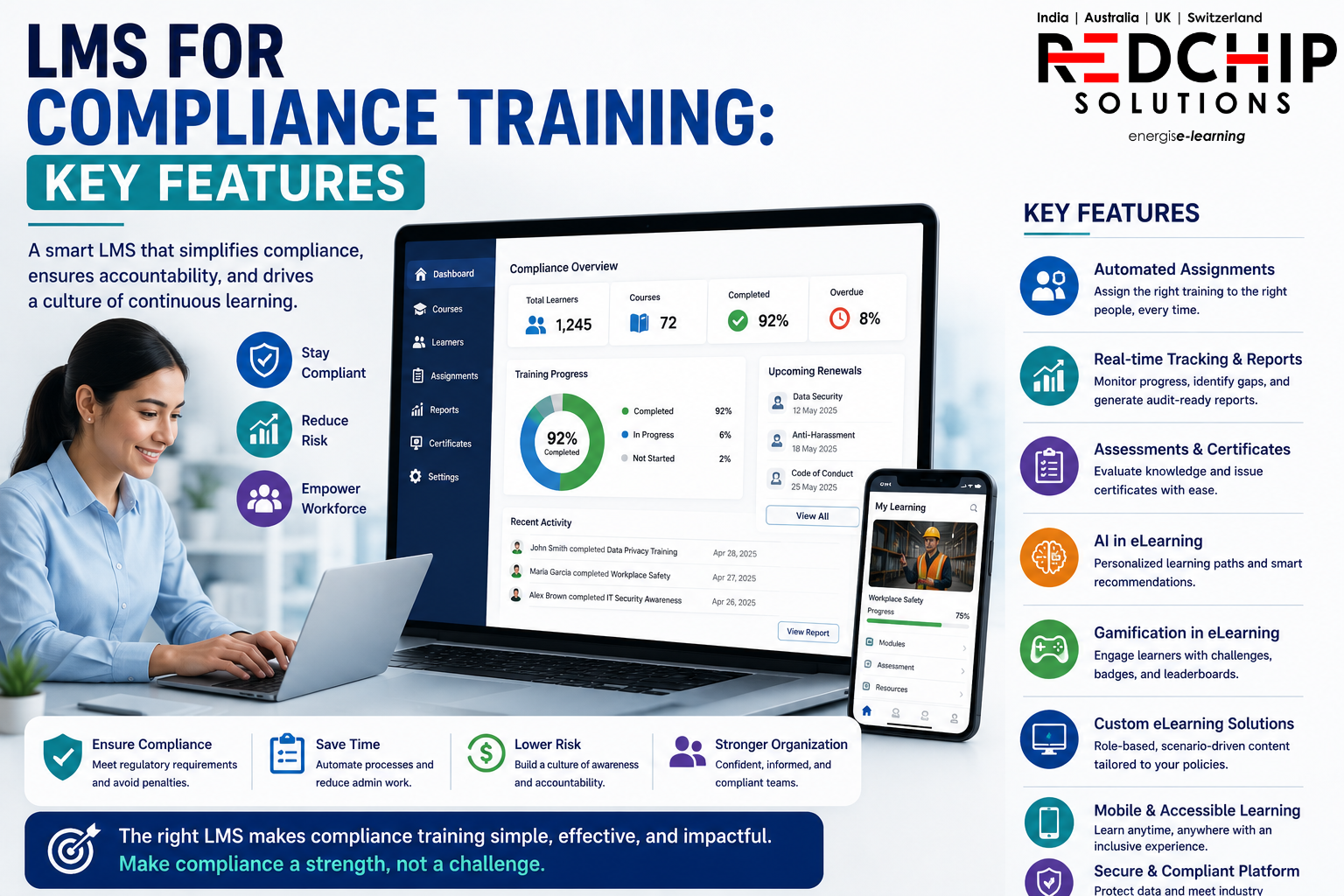
Red Chip Solutions provides LMS solutions with learning tracking and reporting capabilities designed to help organizations monitor training activity and learner progress.
Assessments and Certificates Make Learning Measurable
An LMS should do more than host courses. Assessments help businesses check whether employees understand what they have learned. Certificates can also provide a clear record of course completion.
A practical LMS may support:
- Multiple-choice questions
- Scenario-based questions
- Knowledge checks
- Final tests
- Pass scores
- Certificates
- Completion records
For example, instead of asking employees to read a safety policy and click “complete,” a course can present a workplace situation and ask them to select the safest response.
As a result, learning becomes more active and useful.
These assessment tools are among the LMS features for small businesses that can help turn course completion into measurable learning.
AI in eLearning and Small Business LMS Features
AI in eLearning is changing how companies deliver personalized learning. However, small businesses do not need every AI tool available. Instead, AI should be used where it can save time or improve the learner experience.
For example, AI can support:
- Personalized learning paths
- Course recommendations
- Skill-gap analysis
- Learning summaries
- Learner support
- Adaptive learning
- Training insights
Imagine two employees taking the same course. One may already understand the basics, while the other needs more practice. AI can help create a more relevant path for each learner.
Therefore, AI becomes a useful extension of the core LMS features for small businesses, rather than a feature added simply for marketing.
Gamification in eLearning for Small Business LMS Features
Training can become repetitive when employees have to complete the same type of course again and again.
That is where gamification in eLearning can help.
Gamified LMS features may include:
- Points
- Badges
- Levels
- Challenges
- Leaderboards
- Rewards
- Progress milestones
For example, employees could earn points for completing short lessons, passing quizzes, or taking part in knowledge challenges.
However, gamification should have a clear learning purpose. Adding badges alone will not make a weak course effective.
Instead, game elements should encourage the behavior or knowledge that the business wants to build.
For small companies, this makes gamification one of the more engaging LMS features for small businesses when used with the right learning design.
Custom eLearning Solutions and Small Business LMS Features
Generic training works for some topics. However, many companies need training based on their own products, processes, systems, and policies.
This is where custom eLearning solutions can provide more value.
Custom courses can be built around:
- Company processes
- Product knowledge
- Internal software
- Customer service
- Safety procedures
- Compliance
- Employee onboarding
For example, a company training employees on its own CRM system will get better results from a course that uses the actual system and real work situations.
This is why the right combination of LMS technology and custom eLearning solutions matters.
Red Chip Solutions provides custom digital learning solutions designed around specific business and learner needs. Custom eLearning Solutions by Red Chip Solutions
eLearning Content Development for Small Business Needs
Even the best LMS cannot solve poor training content.
Strong eLearning content development is therefore just as important as choosing the right technology.
Good learning content should be:
- Clear
- Short
- Relevant
- Interactive
- Mobile-friendly
- Easy to understand
- Focused on real work
For example, six short modules may work better than one long 45-minute course filled with text.
Furthermore, experienced eLearning content providers can help turn complex information into simple learning experiences.
The goal should not be to create more courses. Instead, the goal should be to create courses that employees can understand, remember, and use.
Choosing an eLearning Platform for Small Businesses
Small businesses grow, and their training needs grow with them.
Therefore, your eLearning platform should be able to support more employees, courses, departments, and training programs over time.
Before selecting an LMS, ask:
- Can more users be added easily?
- Can new courses be created?
- Can more administrators be added?
- Can reports be customized?
- Can the system integrate with other tools?
- Can learning paths be updated?
- Can content be changed without major technical work?
A flexible platform can prevent businesses from having to replace their LMS every few years.
LMS Security and User Access Features
Security should never be treated as an optional LMS feature.
Training systems may store employee names, completion records, assessment scores, and certificates. Therefore, businesses should understand how learner data is stored and protected.
Accessibility is also important. The official W3C WCAG guidelines provide guidance for making digital content more accessible to people with different needs. W3C Web Content Accessibility Guidelines
When comparing LMS solutions, check for:
- Secure user access
- Role-based permissions
- Data protection
- Keyboard navigation
- Captions
- Text alternatives
- Clear navigation
- Accessible controls
These areas may not be the first things a small business thinks about, but they become important as training reaches more people.
How to Choose the Best LMS Features for Your Business
Selecting the LMS is only one part of the process.
The right eLearning content providers can help turn the LMS into a complete learning system.
Look for a partner that can support:
- Instructional design
- eLearning content development
- Custom eLearning solutions
- Gamification
- AI-based learning
- LMS implementation
- Learning analytics
- Content updates
A common mistake is to purchase an LMS first and only later think about the content.
Instead, start by asking what employees need to learn. Then select the technology and content approach that supports those goals.
Why Red Chip Solutions Is a Strong LMS Partner
Choosing LMS features for small businesses is easier when you work with a partner that understands both learning and technology.
Red Chip Solutions offers custom eLearning, LMS development, gamification, AI-based learning, localization, scenario-based learning, video, animation, and other digital learning services.
The company also provides the Redovator LMS, giving organizations an option to combine learning management with custom digital learning services.
For businesses that want more than a basic course library, this combination can be useful.
Rather than treating the LMS, content, AI, and engagement as separate pieces, Red Chip Solutions brings these areas together to create modern learning experiences.
Explore the Red Chip Solutions portfolio: Red Chip Solutions Portfolio
Conclusion: Choosing the Right LMS Features for Small Businesses
The best LMS features for small businesses are not the ones that create the longest feature list. Instead, they are the tools that make training easier to manage, easier to access, and easier to measure.
Start with practical needs such as course management, learner access, mobile learning, assessments, reporting, security, and support. Then, as your training program grows, consider AI in eLearning, gamification in eLearning, and custom eLearning solutions.
At the same time, do not overlook eLearning content development. A powerful eLearning platform still needs useful content and sound learning design.
With the right combination of LMS technology, content, AI, and learner engagement, even a small company can build a professional training program that grows with the business.
Red Chip Solutions brings together LMS technology, custom eLearning solutions, gamification, AI, and content expertise to help organizations create modern digital learning experiences.
Ready to find the right LMS approach for your business? Requesting for a Demo and speak with the Red Chip Solutions team about your training goals.